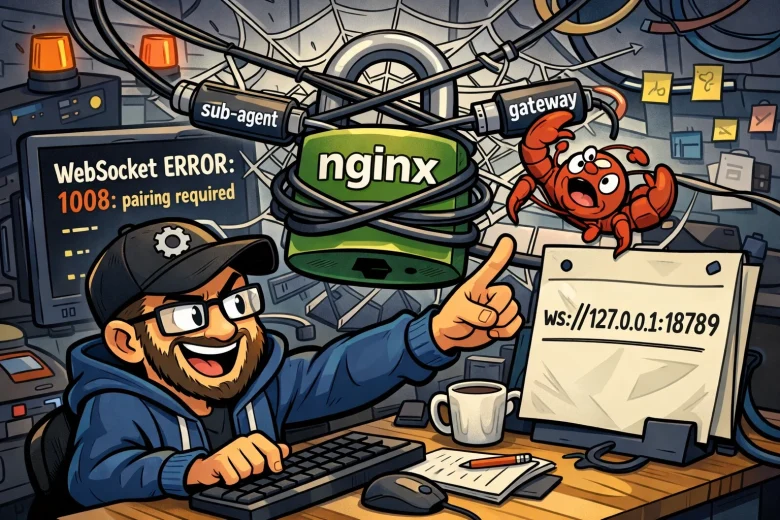
If you’ve set up OpenClaw with a reverse proxy (like YunoHost/nginx) and your sub-agents keep dying with gateway closed (1008): pairing required, you’re not alone. This one took me an embarrassing amount of time to track down, and the fix is surprisingly straightforward once you understand what’s actually happening.
What’s Going On
The error looks like an auth problem — and in a way, it is — but not in the way you’d expect.
When OpenClaw spawns a sub-agent, it needs to connect back to the gateway via WebSocket. If your gateway is sitting behind a reverse proxy (nginx, Caddy, etc.) with an external URL like wss://yourserver.example.com, that’s where sub-agents will try to connect by default. The problem is that when the sub-agent hits the gateway through the proxy, the scope upgrade request from operator.read to operator.admin gets rejected with a pairing demand — even if the device is already fully paired and trusted.
The connection goes:
sub-agent → nginx (external) → gatewayWhen it should go:
sub-agent → gateway (direct, local)The proxy hop is what breaks it. Direct exec commands work fine because they don’t go through the same WebSocket upgrade path, which is why this can be maddening to diagnose — some things work, just not sub-agent spawning.
The Fix
Two config changes are needed.
1. Fix gateway.bind
Older configs (or configs written by a well-meaning agent trying to “fix” things) may have gateway.bind set to "local", which is no longer a valid value. Run:
openclaw config set gateway.bind lanValid values as of OpenClaw 2026.2.x are: loopback, lan, tailnet, auto, custom. Using loopback locks you out of LAN access, so lan is the right choice if you’re accessing the gateway from other machines on your network.
2. Fix gateway.remote.url
This is the key one. The remote URL tells sub-agents where to connect back to the gateway. If it’s pointing at your external URL (or using http:// instead of ws://), sub-agents will route through nginx and hit the pairing wall.
openclaw config set gateway.remote.url ws://127.0.0.1:18789Adjust the port if yours is different. This keeps sub-agent traffic on the loopback interface, bypassing nginx entirely.
3. Restart the gateway
openclaw gateway restartOne More Gotcha: Token Repair After Restart
After restarting the gateway, you may find sub-agents are still failing — this time with a pending device repair request. Gateway restarts can invalidate existing device tokens, which causes the sub-agent’s device to queue a repair request.
Check for it immediately after triggering a sub-agent:
openclaw devices listIf you see a pending request with a repair flag for your sub-agent’s device ID, approve it quickly before it expires:
openclaw devices approve <request-id>The request ID times out after about a minute, so you’ll need to move fast. If it expires, just trigger another sub-agent task to generate a fresh request and try again.
Summary
| Problem | Fix |
|---|---|
gateway.bind invalid value | openclaw config set gateway.bind lan |
| Sub-agents routing through nginx | openclaw config set gateway.remote.url ws://127.0.0.1:18789 |
| Token repair pending after restart | openclaw devices list then openclaw devices approve <id> |
Final Thoughts
The root cause here is that sub-agents connecting through a reverse proxy don’t get treated the same as direct local connections — the scope upgrade that sub-agents need gets blocked at the proxy layer as a policy violation. Pointing gateway.remote.url at localhost sidesteps the whole issue cleanly.
Hopefully this saves someone a few hours of log-diving. If you’re running OpenClaw behind YunoHost specifically, the same applies — YunoHost’s nginx config is doing exactly what it’s supposed to, the issue is purely in how OpenClaw routes its internal traffic.