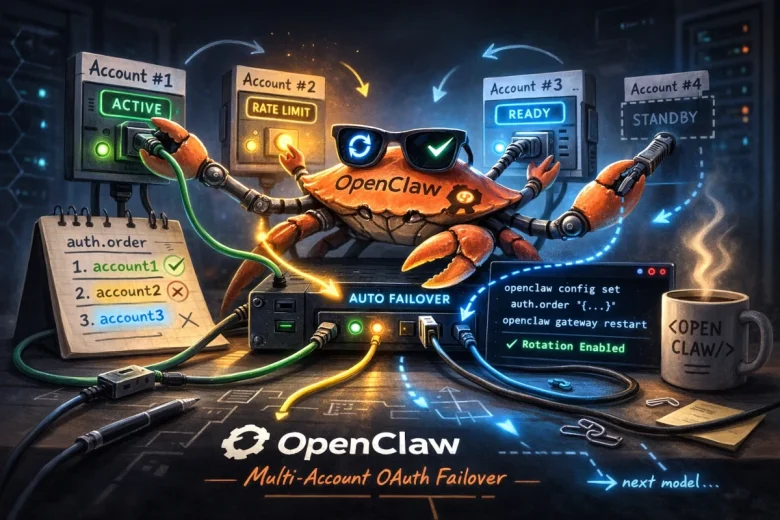
Adding multiple OAuth accounts for the same provider in OpenClaw is one of those features that sounds simple — until you actually try to set it up. The good news: OpenClaw does support rotating through multiple accounts automatically. If one account hits a rate limit, gets a billing issue, or has an auth failure, the system silently switches to the next one.
The bad news: openclaw configure --section model replaces the existing profile instead of adding to it. That behavior caught me off guard and wasted more time than it should have.
Why Bother?
Two main reasons:
Rate-limit and reliability insurance — OpenClaw rotates through all profiles for the same provider before falling back to a different model entirely. With two accounts, you get real redundancy without any manual intervention.
Cost arithmetic — I burned through a week’s worth of tokens in two days. At current pricing, two separate monthly accounts often costs less than upgrading to a business-tier plan, especially when business usually requires annual prepayment.
This technique scales to as many accounts as you want.
The Problem with openclaw configure
Running openclaw configure --section model twice in a row doesn’t add a second account. It replaces the first one. So the correct flow is: run configure once per account, save the auth file in between, then manually merge them.
The Process
Step 1 — Log in with your first account:
openclaw configure --section model
Complete the browser-based OAuth flow with account #1.
Step 2 — Back up the auth file immediately:
cp ~/.openclaw/agents/main/agent/auth-profiles.json \
   ~/.openclaw/agents/main/agent/auth-profiles.account1.bak
Don’t skip this. This backup is your only copy of account #1’s tokens after the next step.
Step 3 — Run configure again for the second account:
openclaw configure --section model
Sign in with account #2. This overwrites the file with only the new profile.
Step 4 — Merge both profiles:
python3 - << 'EOF'
import json

BAK_FILE  = "/home/USER/.openclaw/agents/main/agent/auth-profiles.account1.bak"
LIVE_FILE = "/home/USER/.openclaw/agents/main/agent/auth-profiles.json"

with open(BAK_FILE) as f:
    acct1 = json.load(f)

with open(LIVE_FILE) as f:
    acct2 = json.load(f)

merged = {
    "version": 1,
    "profiles": {
        "openai-codex:account1": acct1["profiles"]["openai-codex:default"],
        "openai-codex:account2": acct2["profiles"]["openai-codex:default"],
    },
    "usageStats": acct2.get("usageStats", {})
}

with open(LIVE_FILE, "w") as f:
    json.dump(merged, f, indent=2)

print("Merged. Profiles:", list(merged["profiles"].keys()))
EOF
Adjust the profile names (openai-codex:account1, openai-codex:account2) to whatever makes sense for your accounts — I use short memorable labels tied to which ChatGPT subscription each one belongs to.
Step 5 — Verify both accounts are in there:
python3 - << 'EOF'
import json, base64

with open("/home/USER/.openclaw/agents/main/agent/auth-profiles.json") as f:
    data = json.load(f)

for key, profile in data["profiles"].items():
    token = profile.get("access", "")
    if token:
        payload = token.split(".")[1]
        payload += "=" * (4 - len(payload) % 4)
        decoded = json.loads(base64.b64decode(payload))
        email = decoded.get("https://api.openai.com/profile", {}).get("email", "unknown")
        print(f"{key:30} → {email}")
EOF
You should see both accounts listed with their email addresses.
Step 6 — Set the rotation order and restart:
openclaw config set auth.order '{"openai-codex": ["openai-codex:account1", "openai-codex:account2"]}'
openclaw gateway restart
This tells OpenClaw to try account1 first, then fall back to account2 on failure.
How Failover Behaves
OpenClaw rotates through the listed profiles when it encounters:
- 429 rate limit
- 401/403 auth issues
- Timeouts that look like rate limiting
- Billing/credit failures
Each failed profile gets an exponential backoff cooldown: 1 minute → 5 minutes → 25 minutes → 1 hour cap. If all profiles for the provider are in cooldown, OpenClaw moves to the next model in your agents.defaults.model.fallbacks chain.
You can also manually switch mid-session with:
/model gpt-5.2@openai-codex:account2
Summary
| Step | Command |
|---|---|
| First login | openclaw configure --section model |
| Back up auth file | cp auth-profiles.json auth-profiles.account1.bak |
| Second login | openclaw configure --section model (again) |
| Merge | Run the Python merge script above |
| Verify | Run the Python email decoder script above |
| Set rotation order | openclaw config set auth.order '{…}' |
| Apply | openclaw gateway restart |
Once you know that configure overwrites instead of appending, the rest is straightforward. Hopefully this saves someone else a few hours of head-scratching.