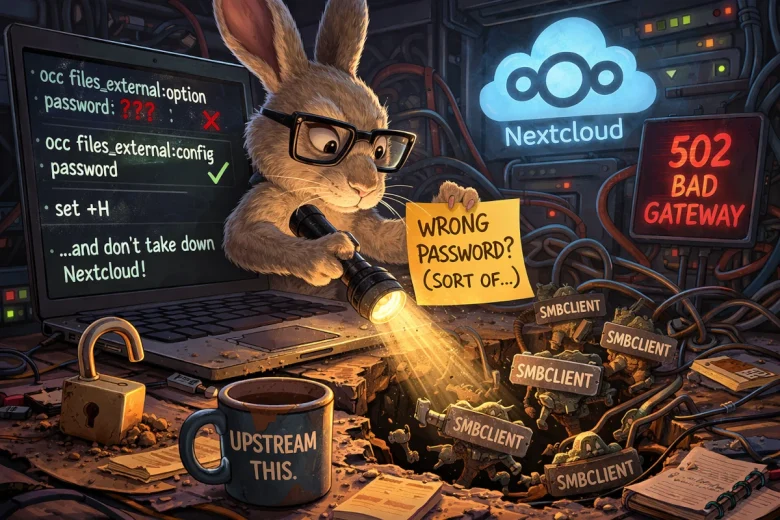
I’ve been fighting the same problem off and on for years: Nextcloud’s SMB external storage integration would almost work… and then would fail in exactly the way that makes you feel like you’re losing your mind. You type the correct password. Nextcloud insists it’s wrong. You try again. Still wrong. You Google. You find half-answers. You try again. Still wrong.
I finally sat down and wrote up the “best known” workaround in a prior post: Fixing the SMB Password Error in Nextcloud (YunoHost). If you want the short version of the operational pain and the original commands, start there:
But here’s the part I didn’t fully appreciate until the most recent round of breakage: when SMB external storage is misconfigured, it doesn’t just quietly fail. In my environment, it can take down all of Nextcloud.
Why this mattered (and why I couldn’t let it slide)
This wasn’t academic. One of my users relies on Nextcloud to set up “drops” for clients and other users—practical, everyday workflows. The kind of thing that, when it works, you don’t think about. And when it breaks, it breaks trust.
The most infuriating part is that the failure didn’t present as “your SMB mount is broken.” It presented as Nextcloud returning 502 Bad Gateway and acting like it was just… down. Which sends you down the wrong troubleshooting path (nginx? php-fpm? redis? database?) until you eventually notice the real culprit: SMB processes multiplying like gremlins.
That’s the kind of bug that wastes weekends.
The “Sonnet 4.6” attempt: brute-force clarity
I was tired of piecemeal advice and forum archaeology, so I finally pushed hard to solve it using Claude Sonnet 4.6.
And to its credit, it got me to something that seemed to solve it. At least at first. The mount verified. Files appeared. The user was happy again. Great—ship it and move on, right?
Except… something still felt off.
The “on a whim” test: running it through OpenClaw
On a whim, I ran the whole situation through my OpenClaw agent (my local assistant). I wasn’t trying to replace Sonnet—more like: “Let’s see if a different system notices anything I missed.”
That decision ended up being the turning point.
OpenClaw didn’t just re-summarize. It started asking annoying-but-correct questions like:
- Where is the password being stored?
- Is it actually stored as a credential, or did we accidentally store it as an option?
- Are we sure we didn’t just make it “look fixed” while leaving something dangerously wrong underneath?
And then it found the big one:
The credential was being stored in the clear
At one point in the debugging process, the SMB password ended up visible in plaintext in the external storage configuration output. That’s the kind of thing you don’t notice when you’re focused on “make it work,” but it’s absolutely unacceptable as a steady state.
Even worse: that misplacement of the password wasn’t just a security concern—it was a clue that we weren’t using the right mechanism to set credentials.
The real root fix (as discovered with OpenClaw)
Here’s what OpenClaw “sussed out,” and it’s the part I think is actually upstream-worthy:
There are two different knobs in Nextcloud’s occ tooling for external storage:
• files_external:option (mount options)
• files_external:config (backend configuration — i.e., credentials and actual connection parameters)
If you use:
php occ files_external:option password '…'
…it can store a password option (and expose it), which is not what you want.
The correct way to set the SMB password is:
php occ files_external:config password '…'
Once we corrected that, we were finally moving toward a state that was both functional and sane.
Bonus gotcha: the ! character
There’s another detail that’s easy to miss unless you’ve been burned by it: if your SMB password contains a !, bash history expansion will happily mangle it unless you disable that behavior:
set +H
That “one stupid shell setting” can be the difference between “password works in smbclient but Nextcloud insists it’s wrong” and a clean fix.
Why I decided to file upstream issues
As we worked through this, I increasingly felt like this wasn’t just “my config” or “my weird homelab.”
Two things stood out:
- A broken SMB mount can trigger an smbclient process storm and exhaust PHP-FPM, taking down Nextcloud with global 502s. That’s a reliability issue.
- The CLI makes it easy to store a password in the wrong place in a way that’s both misleading and potentially unsafe. That’s a UX/security footgun.
So I filed two upstream reports—one for packaging/mitigation and one for Nextcloud itself.
YunoHost Nextcloud package
- https://github.com/YunoHost-Apps/nextcloud_ynh/issues/870
Nextcloud Server
- https://github.com/nextcloud/server/issues/58821
Both reports were written with AI assistance, and I was explicit about that (Claude Sonnet 4.6 and OpenClaw / OpenAI Codex gpt‑5.2). But the important point is: the evidence is operator-grade. Commands. Outputs. Reproduction steps. Not vibes.
What I want out of upstream
The “perfect world” fix is that the whole thing just works in the UI and never takes down the service.
But even if the underlying SMB auth behavior is complicated, there are two improvements that feel very achievable:
- Guardrails in the CLI so you can’t accidentally store password as an “option” without a warning.
- Packaging-level mitigation that prevents one broken external mount from taking down the whole instance.
Closing thought: AI didn’t solve this. Process did.
The honest takeaway for me isn’t “AI fixed my bug.” It’s that using multiple tools with different blind spots made it harder for me to miss something important.
Sonnet helped me push through the initial wall.
OpenClaw helped me spot the security/structure problems and get to something I could defend upstream.
And if you’ve ever lost a weekend to a “wrong password” error that wasn’t actually your password… you know why I’m writing this down.
Addendum — March 13, 2026: What “Fixed” Actually Looks Like
It broke again.
Same share, same user, same smbclient storm, same 502s across all of Nextcloud. So here’s what I learned the second time around that I wish I’d written down the first time.
After recreating the mount using the steps above, files_external:list will probably still show Login and password under the Authentication Type column. That looks wrong. It isn’t — or at least, it’s not the column you should be watching. The one that matters is Options. If you see auth: "password::password" in there, stored credential auth is in effect regardless of what Authentication Type says. That’s your confirmation.
The ! problem
If your SMB password contains an exclamation point, don’t try to quote your way around it. Bash history expansion will eat it and you’ll spend an hour convinced the password is wrong when it’s actually just mangled. Use read instead:
bash
read -rs SMB_PASS
php occ files_external:config MOUNT_ID password "$SMB_PASS"
It’ll hang waiting for input — that’s normal, it’s just not echoing anything. Type the password and hit Enter. No history expansion, no surprises.
Verify it actually works before you call it done
After you think it’s fixed, watch the process list while your user browses to the share:
bash
watch -n2 'ps aux | grep smb | grep -v grep'A burst of smbclient processes on first connect is normal — it’s enumerating the share. They should settle back to a small steady number within a few seconds. If they keep climbing, you’re not fixed yet.